

There are so many ways to use AI with R now that it's genuinely hard to know where to start. Should you just use ChatGPT in a browser tab? Install something into your code editor? And if so, which one?
This guide talks through the various options for working with AI, giving you the pros and cons of each so you can get started right away.
Should you use a chatbot?
Most people are familiar with chatbot-flavored versions of AI. You put text into a box, the AI magically returns text of its own. This is an incredible technological feat and is a good place to start, but working with AI in this way isn't really the best approach for writing code. As Hadley Wickham puts it:
... the most important thing I want to tell you is that if your primary way of using an LLM is through a chatbot interface on the web or your phone, you are missing out on at least 90% of the goodness.
Working with AI in this way is limiting because you have to constantly copy your code from your code editor to a chatbot and copy the results the chatbot gives you back to your code editor. What's more, the chatbot doesn't have the full context of your project. It doesn't know, for example, what your data looks like. Given these limitations, if you use a chatbot, you won't really see the true power of AI as a coding assistant.
What should you use instead?
Today, when people talk about using AI to code they are talking about so-called agentic workflows. What they mean is that they plug AI into code where they are already working on it. That is, they get AI "agents" to work directly on code that they would otherwise edit themselves in their local code editor.
What provider should you use?
At this point, there are two big providers in the world of so-called frontier AI models: OpenAI and Anthropic. Each of these has a chatbot (ChatGPT and Claude, respectively) and each has a coding agent (Codex and Claude Code). Each agent also has models (e.g. GPT-6 Astra and Claude Opus 5.5) with different levels of performance, cost, etc. As I write this in late September 2026, I believe all recent models are good enough to write high-quality code. Don't fret over choosing the "right" model. Personally, I have used Claude since late 2025 and found its models to be excellent so haven't felt a need to change.
I also have a preference between Claude and OpenAI, on moral rather than technical grounds. I appreciated Anthropic standing up to the Trump administration in early 2026 over limits it had set on Claude being used for autonomous weapons and for mass surveillance of Americans. I am not naive about this. Anthropic is a company, and at some point it will probably do something I find less than ethical too.
There is also Posit Assistant, the AI assistant built into Positron. Personally, I have not found it gives me anything I do not get from Claude Code, so I do not use it. From now on, I'll focus on Claude Code.
If you want to see the three side by side before you pick, the Ally lesson Choose an AI provider gives Claude Code, Codex, and Posit Assistant the same R script with errors planted in it, then compares them on cost, models, and data retention.
How do you work with agentic coding tools?
In order to work with agentic coding tools, you do need to have a paid subscription (while chatbots have free tiers, agentic coding tools generally do not). Claude's cheapest plan that gives you access to Claude Code is $20/month. You subscribe on the Claude website and you are then ready to get started with Claude Code.
The simplest way to work with Claude Code is in your code editor. Positron allows you to install the Claude Code extension, which gives you access to Claude Code right next to your code itself (unfortunately, RStudio does not allow you to use extensions in this way).
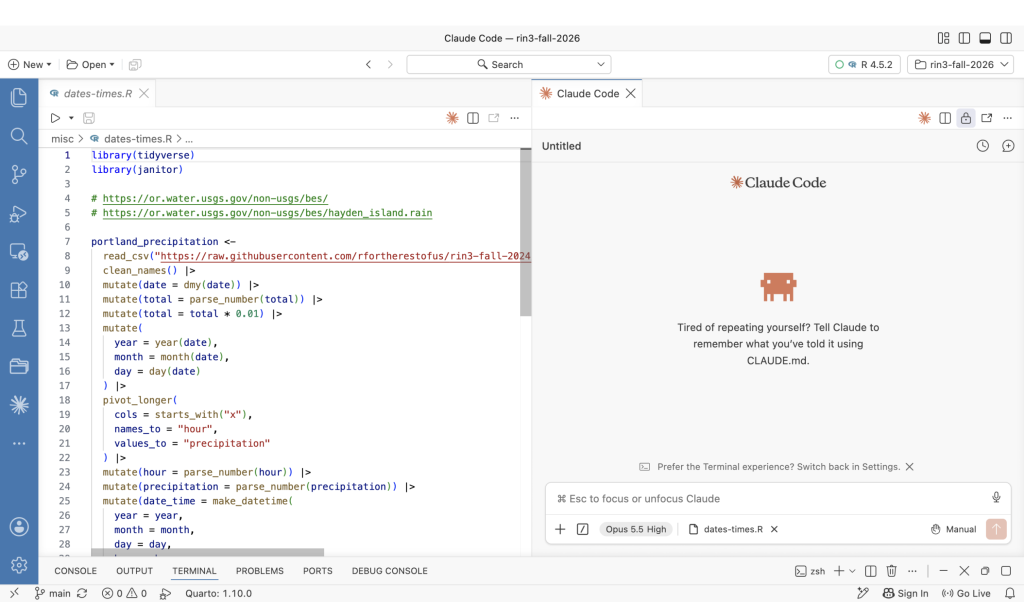
Another way to interact with Claude Code is using the terminal. The extension gives you an option to use the terminal:
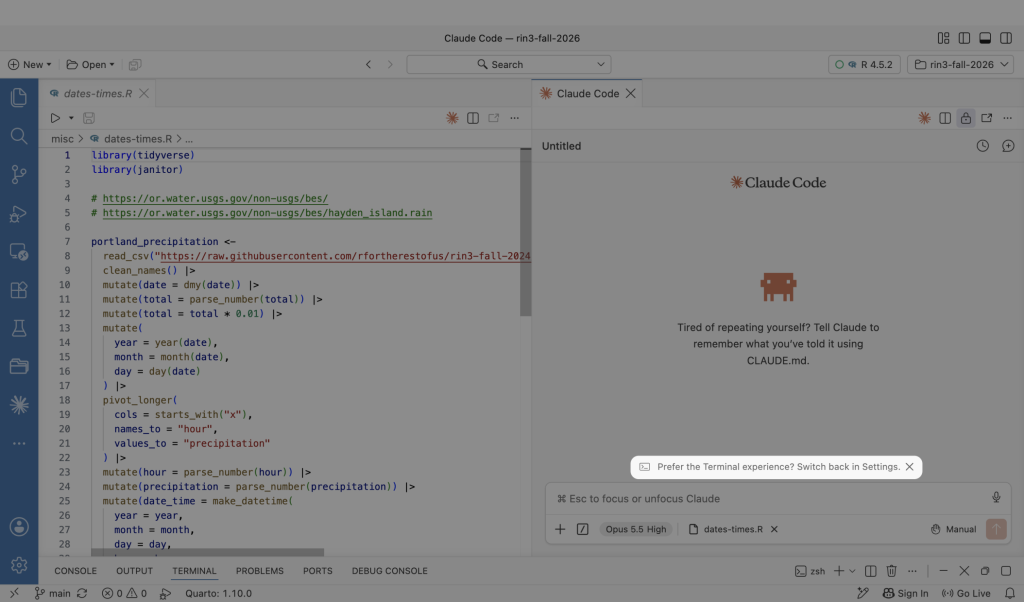
When you make the switch, the Claude Code extension will now show up as a terminal:
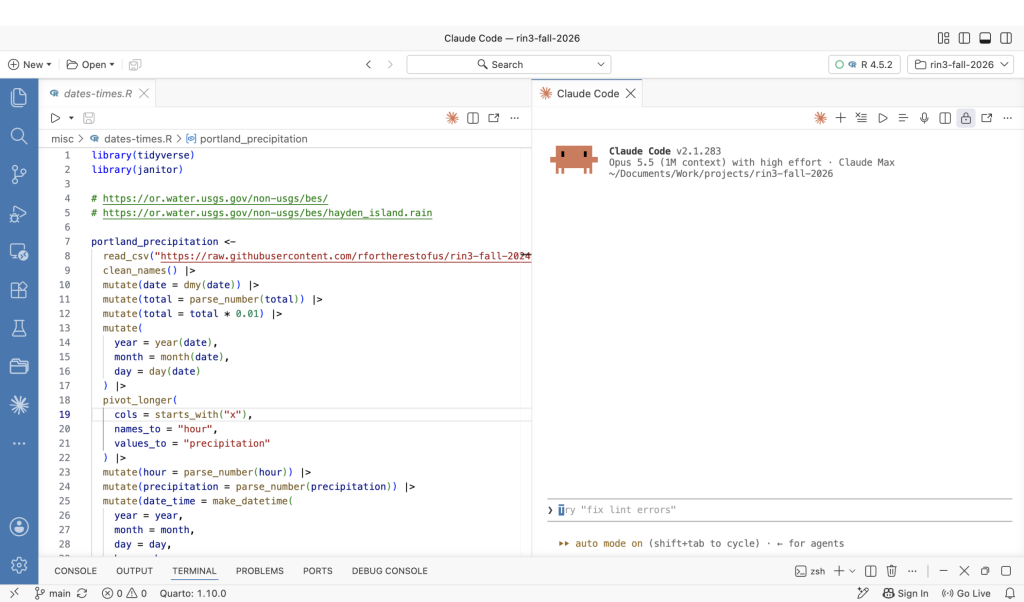
Either approach is fine. Choose whichever is more comfortable to you.
No matter which approach you choose, the workflow is the same: you tell Claude to do something and it will get to work. And here is where you can really see the difference between working with AI chatbots and agentic coding tools. If you ask Claude to edit your code, it will do so and you can see the result directly in Positron.
Transcript
Click on the transcript to go to that point in the video. Please note that transcripts are auto generated and may contain minor inaccuracies.
Loading transcript...
This workflow turns AI into an agent in the sense that it can do things for you (e.g. write code) rather than just answer questions. It's where the true power of AI for coding lies.
To see the difference for yourself, watch the Ally lesson Chat, extension, or terminal: where to work with AI, where I try to fix the same broken R script in a web chat, in the Claude Code extension, and in the terminal.
What other tools should you use to work with AI agents?
There are two other tools that I use in order to work with AI agents.
Dictation
The first is dictation. I rarely type when chatting with AI. Instead, I dictate. Describing a change in a couple of spoken sentences is far faster than typing it, and it makes me explain what I actually want rather than what is quick to type.
I currently use the dictation built into Raycast (a general purpose launcher that I love). The most popular dedicated dictation tool is Wispr Flow, which is paid, very good, and runs on both Mac and Windows.
If you would rather not pay, there are solid free options on every platform:
Your operating system already has dictation built in: macOS dictation on a Mac, and voice typing on Windows. Both work anywhere you can type.
Handy is free, open source, and runs on Mac, Windows, and Linux, entirely on your own machine.
Whispering is another open source option for Mac, Windows, and Linux.
All of these run on Whisper or something like it, so accuracy is good enough that I rarely have to correct anything.
Solo, a tool for working with multiple terminal windows
The second tool that I use is called Solo. Solo describes itself as a "meta-harness for coding agents" but I mostly think of it as a way to keep track of all of my projects and associated terminal windows. Solo is more advanced, for sure, but it allows me to spin up multiple agents on a single project (or multiple projects). I use Solo as a direct replacement for the Claude Code extension, typing into the terminal in Solo and then checking the resulting output in Positron. You can see how I use it in a livestream I did in summer 2026 (the video should go there automatically, but if it doesn't, scroll ahead to 33:38):
Where to next?
Once you have the tools set up, head to the Ally library and pick a topic. AI Foundations covers the basics, like how to write prompts that get good R code, Workflow is about fitting AI into a day of real R work, and Data Privacy is worth reading before you hand an AI anything sensitive. New content is constantly being added in the library, so check back regularly!